

True additive synthesizers are few and far between. And additive synthesizers with an accessible interface are almost non‑existent. Almost...
Additive synths have always been rare beasts. In contrast to the classic analogue subtractive synths we know and love, which work by filtering harmonics from rich, buzzy waveforms, additives build sounds from their component parts: often dozens or hundreds of individual sine waves. The promise is exotic timbral complexity, but the problem has always been how users can control what all those sines do over time, to give sounds dynamism and movement, that isn’t horribly repetitive and time‑consuming. Mythical hardware additives like the DK Synergy, beloved of Wendy Carlos in her post‑Moog years, could only be painstakingly programmed through early personal computer text‑based interfaces, and more recent machines like the Kawai K5000 from the late ’90s have still been pretty fiddly.
Sine Machine from Melatonin is a new player in this field, and is in many ways a truer, more purist additive synth than many that have gone before it, whilst claiming to be easy to use. Is this the Holy Grail of additive synthesis?
Fundamentals
Sine Machine is available for Windows, macOS and Linux, variously as a VST3, Audio Unit and CLAP plug‑in, and as a standalone app. After purchase you can activate it on up to three computers.
Everything coming out of Sine Machine is, as the name suggests, built from sine waves, and in sheer potential quantity it does not mess about. Within its monotimbral 20‑voice polyphony limit, every single voice can generate up to 511 at once, by default following the pattern of harmonics that occurs in any freely oscillating body in nature. Which is to say, a fundamental frequency, a second harmonic at twice that frequency, a third at three times, a fourth at four times, and so on. Not only that, but each of the sine oscillators is to an extent (as we’ll see in a minute) a free entity with its own envelopes and LFOs. Stack up 20 voices and you could have over 10,000 oscillators sounding: gosh! And yet it runs very efficiently. On my now five‑year‑old M1 Max MacBook Pro, Sine Machine used less CPU than most virtual‑analogue synth plug‑ins.
Sine Language
Sine Machine’s five main pages are the heart of the user interface. The online manual and a really excellent series of tutorial videos do the deep dive for users wanting to get into programming, so we’ll cover just the most important aspects here to build an overview. With a picture worth, ooh, at least 1000 sine waves, here’s a run‑down of what they are and what they do.
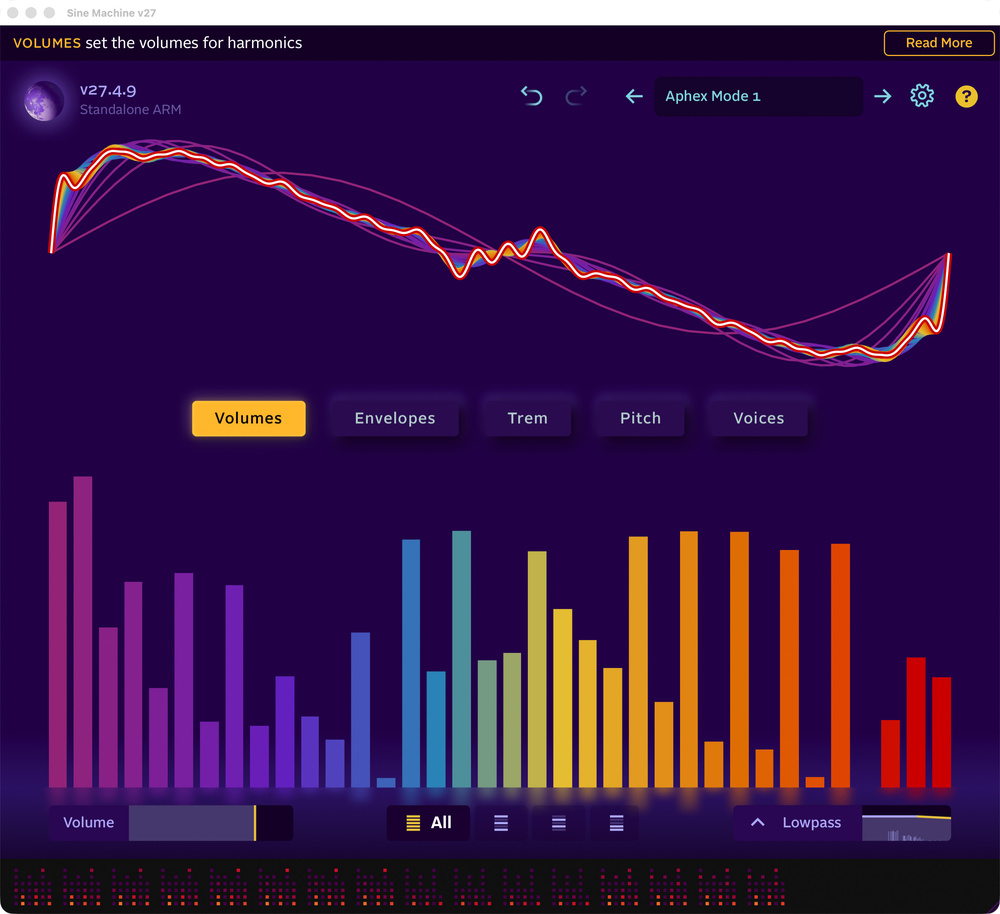
The Volumes page (shown at the start of this article) sculpts tone colour statically, with what are something like glorified Hammond organ drawbars. A visualiser shows the resultant waveform (and several Init presets instantly dial in a sawtooth, square and triangle wave here, if you want an analogue‑like starting point). The starry square indicators at the bottom of the window, incidentally, are animated representations of the 20 available voices: they sparkle away and come and go as you play.
 The Envelopes page controls the volume of the harmonics.
The Envelopes page controls the volume of harmonics, over the course of a held note. The timing of the different envelope phases can be skewed over the audible spectrum according to the currently selected curve on the right: adjusting a single slider can then create useful shapes across dozens or hundreds of harmonics in one go. A visualiser here shows changes in harmonic volume as varying brightness, set against time running left to right....
You are reading one of the locked Subscribers-only articles from our latest 5 issues.
You've read 30% of this article for FREE, so to continue reading...
- ✅ Log in - if you have a Digital Subscription you bought from SoundOnSound.com
- ⬇️ Buy & Download this Single Article in PDF format £0.83 GBP$1.49 USD
For less than the price of a coffee, buy now and immediately download to your computer, tablet or mobile. - ⬇️ ⬇️ ⬇️ Buy & Download the FULL ISSUE PDF
Our 'full SOS magazine' for smartphone/tablet/computer. More info... - 📲 Buy a DIGITAL subscription (or 📖 📲 Print + Digital sub)
Instantly unlock ALL Premium web articles! We often release online-only content.
Visit our ShopStore.