
 Ask the Community
Integrate GitHub Actions with BrowserStack
A step-by-step guide to help you integrate GitHub Actions with the BrowserStack device cloud for running all your Selenium tests on BrowserStack Automate.
You can find the BrowserStack GitHub Actions in the GitHub Marketplace. The two Actions are used to set up the required environment variables in the runner environment and set up BrowserStack Local tunnel connection which will be used to route all browser traffic from BrowserStack’s device cloud to the runner environment which hosts your web application.
In this guide, we will cover the following sections:
Set up GitHub secrets in your repository
You need to have username and access-key from BrowserStack to be able to run tests on the BrowserStack infrastructure. This section shows how to set them as Secrets in your GitHub repository. You can sign-up for free trial if you do not have an existing account.
If you want to test your open source project on BrowserStack, then sign-up here for lifetime free access to all our products.

As the picture above suggests, go to Settings in your repository and there you will find the Secrets option in the left-hand pane. Go to Secrets and add new secrets as shown below:
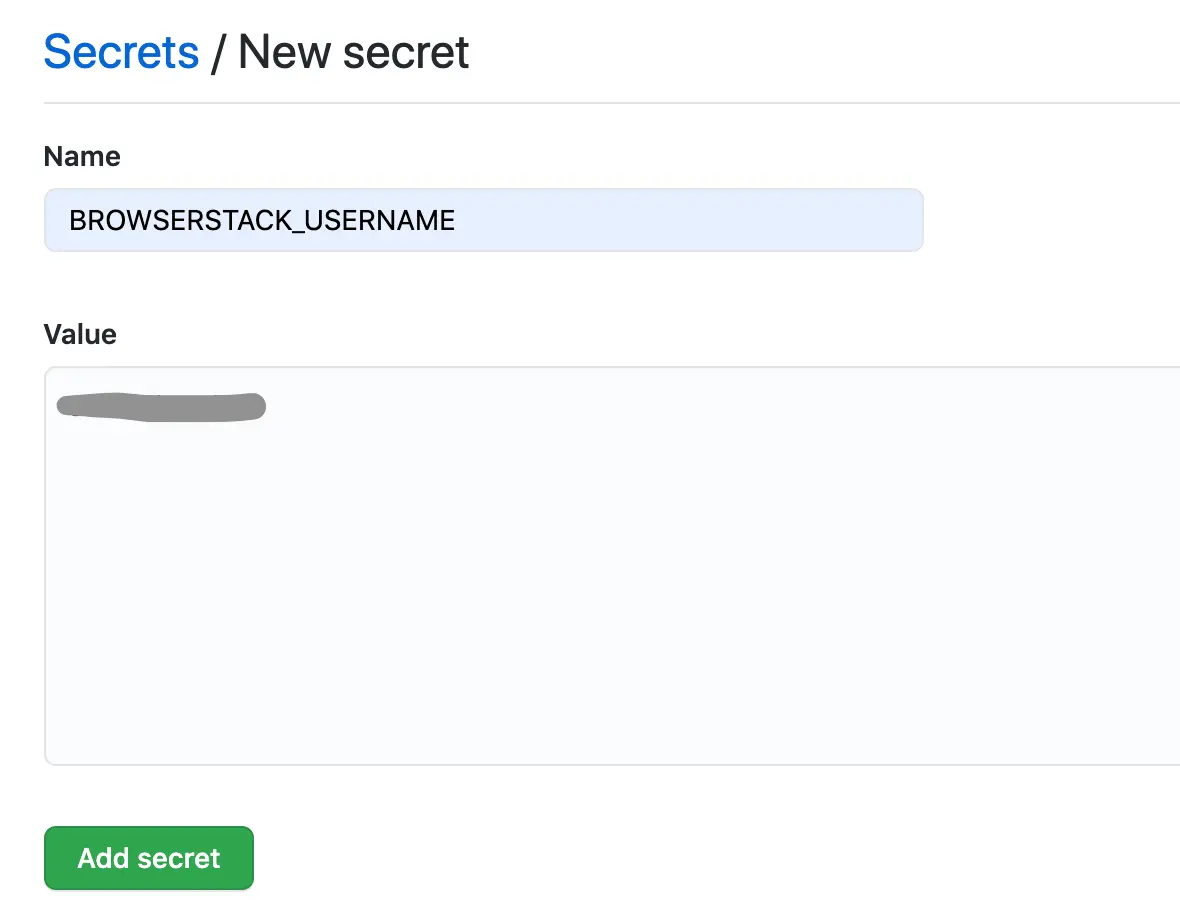
Add YOUR_USERNAME as the BROWSERSTACK_USERNAME secret and similarly, add YOUR_ACCESS_KEY as the BROWSERSTACK_ACCESS_KEY secret. After these two steps, the secrets page should contain entries like this:

Set up a GitHub workflow to run BrowserStack tests
You must do the following to run BrowserStack tests from GitHub Actions (see the sample GitHub workflow):
- Create the workflow file(s)
<filename>.ymlin the.github/workflowsdirectory in your repository. (Read more about creating GitHub Workflow files) - The starting of the workflow specifies on what events the workflow must run. We recommend you to run on both
pushandpull_requestso that you have a 1:1 build mapping against every commit - You can run on any GitHub Actions runner e.g.
ubuntu-latest(You can also host your own runners) - In the initial workflow steps, you must build your web application and start the web server on the runner
- Thereafter, invoke
setup-envBrowserStack Action to set up environment variables in the runner - Invoke
setup-localBrowserStack Action to set up a tunnel connection between the GitHub Actions runner environment and the BrowserStack device cloud so that the application server on the runner environment can be accessed by the browsers in BrowserStack’s device cloud - Run the test scripts from the workflow. (You can visit the Sample Test section to see how you can use the environment variables in your test script to set BrowserStack capabilities)
- Invoke
setup-localBrowserStack Action again to terminate the tunnel connection
You can see the sample GitHub workflow to run a BrowserStack test. The next section explains the purpose and usage of the BrowserStack GitHub Actions in your workflow.
Use BrowserStack GitHub Actions in your workflow
You can find the BrowserStack GitHub Actions in the GitHub Marketplace. The following two Actions are used to set up the required environment variables in the runner environment and set up BrowserStack Local tunnel connection which will be used to route all browser traffic from BrowserStack’s device cloud to the runner environment which hosts your web application.
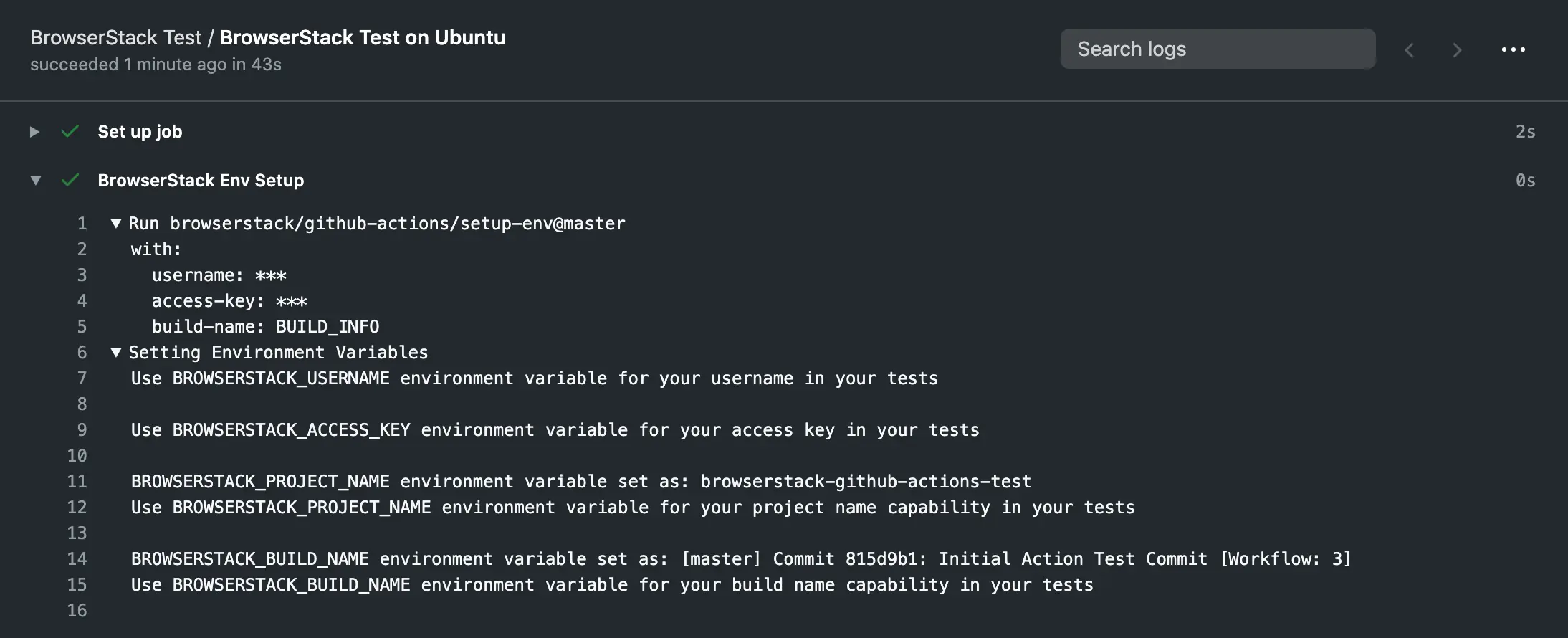
You can find the Action’s GitHub repository. This Action should be invoked from the runner environment before any other BrowserStack Action is invoked. This Action sets up the following environment variables in the runner environment which will later be used by other BrowserStack Actions and also in your test scripts to set BrowserStack specific capabilities:
-
BROWSERSTACK_BUILD_NAME: By default, this variable will be populated with a name for your build consisting of workflow run specific data. For e.g.
Onpull_request→[<Branch-Name>] PR <PR#>: <PR-title> [Workflow: Workflow#]will be set -
BROWSERSTACK_PROJECT_NAME: By default, the repository name will be set -
BROWSERSTACK_USERNAME: Input ofusernamewill be set, to be used in test scripts. -
BROWSERSTACK_ACCESS_KEY: Input ofaccess-keywill be set, to be used in test scripts.
Inputs
-
username: (Mandatory) Your BrowserStack username to be passed ideally as a GitHub Secret -
access-key: (Mandatory) Your BrowserStack access-key to be ideally passed as a GitHub Secret -
build-name: (Optional) Sets the environment variableBROWSERSTACK_BUILD_NAME- Default is BUILD_INFO which will be replaced with meaningful workflow related information
- You can pass any string. E.g.
build-name: 'my-string' - You can also use a string along with the keyword BUILD_INFO in the input
E.g.build-name: 'string1 - BUILD_INFO - string2'
-
project-name: (Optional) Sets the environment variableBROWSERSTACK_PROJECT_NAME- Default is REPO_NAME which will be replaced with the repository name
- You can pass any string that you want to set as the
BROWSERSTACK_PROJECT_NAME
E.g.project-name: 'My Project Name Goes Here'
Usage
      - name: 'BrowserStack Env Setup'
        uses: 'browserstack/github-actions/setup-env@master'
        with:
          username:  ${{ secrets.BROWSERSTACK_USERNAME }}
          access-key: ${{ secrets.BROWSERSTACK_ACCESS_KEY }}
          build-name: 'BUILD_INFO'
          project-name: 'REPO_NAME'
Or, pass the required arguments only:
      - name: 'BrowserStack Env Setup'
        uses: 'browserstack/github-actions/setup-env@master'
        with:
          username:  ${{ secrets.BROWSERSTACK_USERNAME }}
          access-key: ${{ secrets.BROWSERSTACK_ACCESS_KEY }}
- The setup-env Action is a pre-requisite for any other BrowserStack related Actions.
- This action should be invoked prior to the execution of tests on BrowserStack to be able to utilise the environment variables in your tests.
- You have to use the environment variables set in this Action in your test script (Sample test script).
The console logs of GitHub Workflow, on running this Action is shown below:
You can see the