
Apple Watch Only – a day in my life with the Series 2 Nike Apple Watch
⌚️Apple Watch,👨🏼💻iMagazine
I bought my first Apple Watch in May 2015, right after its world release. Even though the first version of the watch wasn’t perfect – both the software and hardware left a lot to be desired – I saw a huge potential in this product. It later became my gadget of the year. I just really loved the way I could access lots information “straight from my wrist.” Today, after a year and a half, WatchOS 3 and Apple Watch Series 2 are available, meaning that the potential has increased significantly! In this post I want to show you how much impact this device has on my life in a simple day-to-day scenario.
Note: The following article appeared first in the 12/2016 issue of iMagazine - the leading lifestyle magazine for Apple enthusiasts in Poland. I’m a regular contributor and write my monthly productivity column there.
In this article I’d like to show you how much stuff I get done every day on my wrist. Especially now, after purchasing the Apple Watch Series 2 Nike version, I’m really beginning to discover the “smart” part of “smartwatch” and I’m seeing a wider range of capabilities on this platform. So, here’s one day out of my life with the Apple Watch. And it’s not just a hypothetical day! This is an account of what really happened on Monday November 21, 2016 - a day before I initially wrote this article. Here goes:
Late in the evening, Sunday November 20
It’s 9:30 pm. I managed to put the kids to sleep and now I can spend some time with my wife. I put the Apple Watch away on the charging dock. I closed all of my fitness rings for the day, which is great. I put “The Crown” on Netflix and watch the next episode with my wife.
Before midnight, when it’s time to go to bed, I put my iPhone away to charge it overnight and pick up the watch. By this time, the battery is 100% charged, so I can put the watch back on my wrist and go to sleep.
Sleep with the watch? Yes, for two reasons:
First of all, I get up at 7, before the rest of my family, and I don’t want to wake them up with the sound of my alarm. On the Apple Watch, I can set a silent alarm that wakes me up with a subtle vibration.
Secondly, I can launch Sleep++ which collects information about my sleep.
I set the alarm and launch the app, and then I set the watch to “flight mode” to turn off all the antennae. Finally, I go to sleep.
Monday November 21, 7:07 am
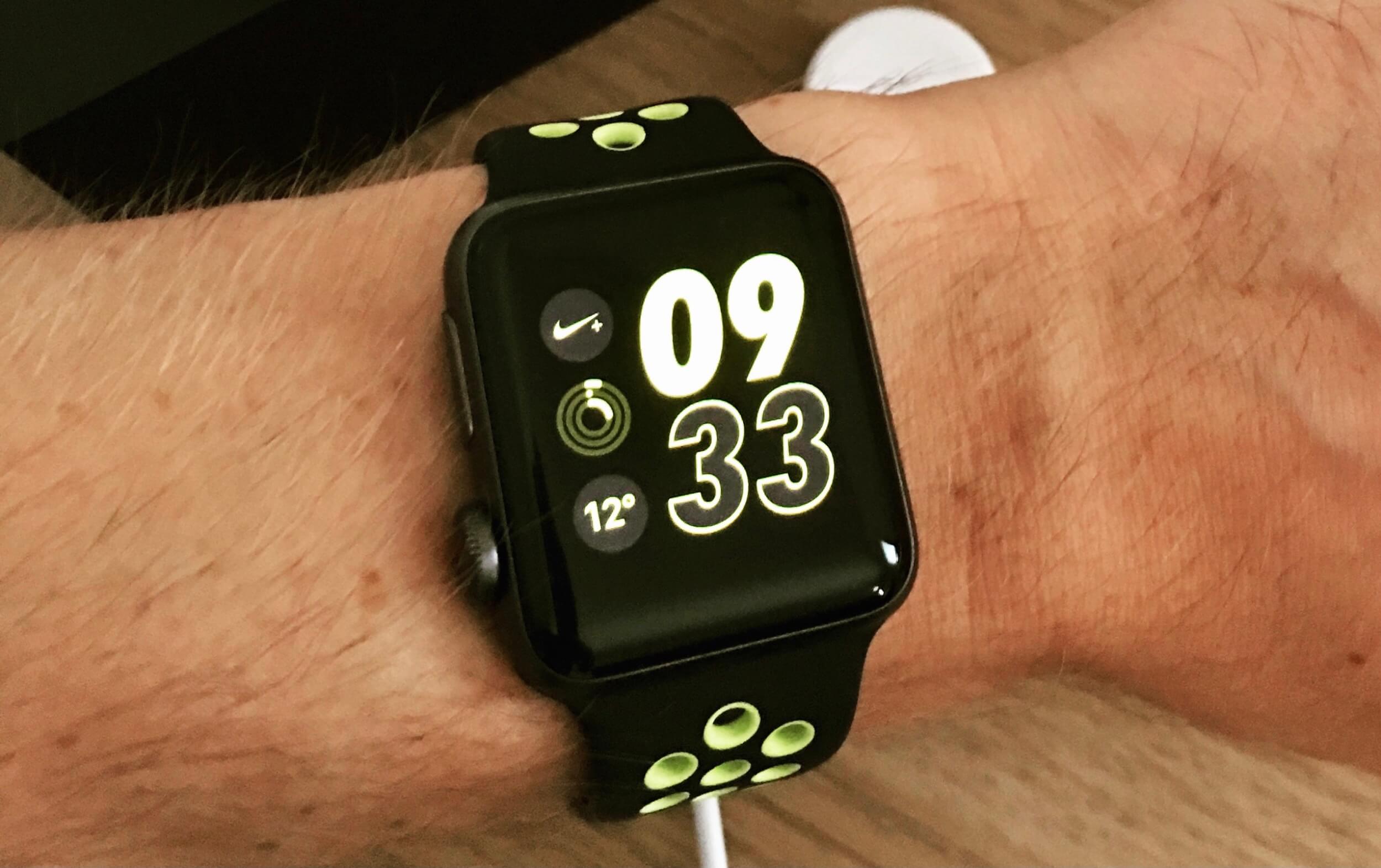
The watch wakes me up with a delicate vibration. I turn off the alarm, airplane mode and Sleep++ app. I look at the cool, minimalist Nike+ watch face where I’ve added the weather application. I see that it’s going to be a warm day. Next, I check the weather for the rest of the day. Now I know what to wear.
During breakfast, I check the time to know when we need to leave for school. In the meantime I pack my swim bag because after dropping the kids off at school I’m heading straight to the swimming pool. My next triathlon is in six months so it’s time to work on my swimming technique if I want to improve my performance on the next race.
At the pool, I put all of my stuff – including the iPhone – in the locker. I leave the watch on my wrist. I jump into the water, turn on the “swimming in a pool” activity and start the training. Apple Watch informs me not only about the current time but also about my average swim time and number of laps I’ve done.
After the training, I complete the activity on the watch and it expels water from the speakers by making a strange sound. I get dressed. It’s time to head back to my home office and get to work.
On the way home, I listen to an audiobook on the iPhone through the car’s radio. I really enjoy listening to audiobooks while driving. Sometimes, I want to make a quick note. Then I launch Workflow on the watch in which I’ve created a special process for adding new information to my note about the book I’m currently reading. I launch this process, dictate the text to my wrist and the Apple Watch adds it to the note. Simple and super quick!
Work on Monday November 21, from 10:15 am
I park my car in the garage. Suddenly, I realize there’s something important I need to do today. On the watch, I launch Nozbe to add a new task to my Inbox using “force touch” and dictate it to my wrist. In the meantime, I check out my priorities for today, scrolling the list on the watch in Nozbe.
I’m in the office and I get started on my first task – writing a draft of this article. On the iPad I launch iThoughts and create a mind map with an outline of the text. I write down ideas and connect them with each other. Creating drafts of articles in the form of a mind map really helps me sort out what I want to write about. I just came up with the idea that a better way to show how the watch influences my life would be to write something in the form of a diary. Something you’re reading right now :-)
While writing, I turn on the “Do Not Disturb” mode on the iPad but I still get notifications on the watch. I reply to those important ones straight from the watch and ignore all the rest. Thanks to this system, I’m not tempted to switch apps on the iPad and discuss something with the rest of the team. Quick answers on the watch – often in the form of emoticons – are completely sufficient for me right now.
Later during the day I have some meetings planned, so I change the minimalist “Nike+ Digital” watch face to the “Modular” one to view my next meeting. What’s more, thanks to “time travel” I can use the crown of the watch to check all of my upcoming meetings.
Another day in the office goes by. Meetings, writing, receiving notifications on the watch… the last of which reminds me that it’s close to 5 pm - time to pick up the girls from school.
On the way to school, Monday November 21, 4:50 pm
On the way to school I need to pick up something for my wife. The address doesn’t sound familiar so I look it up in Apple Maps and turn on the navigation. The route shows up on the iPhone and thanks to integration with the watch it guides me to my destination using vibrations.
After returning home, I leave the phone in the drawer in the hallway. Now I want to spend some time with my family so I don’t need it, but at the same time I know that if something important happens I’ll get a notification on the watch. This allows me to stay in touch with the world but at the same time I can focus on my family.
Sometimes we use the watch for learning and fun. The girls constantly ask me about all kinds of things. For example, today while looking at a map my daughter asked me how many people live in New York. I press the watch crown and ask Siri. She answers: 8.5 million… Less than I thought…
Although Siri is not super intelligent on the watch, she answers simple questions and that’s enough to impress my daughters. They think their dad’s watch is magical :-)
Evening on Monday November 21, 8:30 pm
The girls are getting ready for bed. We head to the bathroom to brush our teeth. On the watch, I set a timer for three minutes to make sure our teeth are brushed properly. The girls pay close attention to this.
I put the kids to bed and stay with them for a while. Sometimes I play them some of our “hit songs” (my favorite playlist is synced with the watch).
This is what my day with the watch looks like. After 9 pm I put it down for charging. The battery is about 50% discharged at this point which doesn’t really matter because within the next hour it’ll be fully charged and ready for action again.
The Apple Watch in my life
As you can see, Apple Watch has found its place on my wrist for good and thanks to better software and much improved hardware it’s increasingly becoming a replacement for the phone. Although I use it for basic tasks, doing them on the watch is getting easier and more enjoyable. The watch allows me to put my phone away and focus on spending time with my family, without the stress that I’m going to miss something really important.
Apple Watch still isn’t perfect. It still needs broader support for applications. Luckily, RunKeeper just shipped a new version of their app that supports its built-in GPS so now I can run with it without my iPhone. However, neither Overcast nor Audible can copy a podcast or a book to the watch to enable listening to recordings without the phone. We also have a lot of ideas about how to improve our Nozbe app so it works even better on the watch.
I see a huge potential in the Apple Watch and I’m convinced that expanding its functionality and areas of application is just a matter of time. And thanks to Workflow I’m already doing some of this myself.
No, I’m definitely not going to work “Apple Watch Only”, I only chose this title to show that apart from my two computers – iPhone 7 Plus and iPad Pro – I also have a third micro-computer – the Apple Watch – which is a perfect addition to this duet.
Question: Do you use Apple Watch? Do you like it? How do you use it?