

Tool Tutorials Page 2
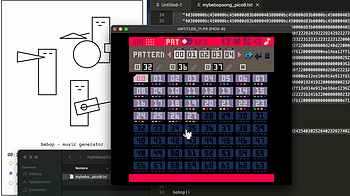
In this video you can see all the steps for saving a bebop song into your Pico-8 cartridge. The steps are really simple: Open bebop, Pico-8, and a text editor...
Hello! I'm Stumpy the Squirrel. Let's make a game with RPG in a Box! In this tutorial, we'll make our map a bit more interesting by creating a functional door t...
User Manual Summary EasyPrefabGrid is a user-friendly 2D prefab generation toolset that features visual grid drawing in Sceneview, prefab generation, and cursor...
1 file
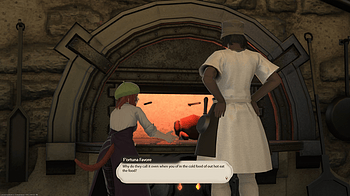
Here's a quick video guide on how to use FFXIV Dialogue Overlay Maker with Tiktok!...
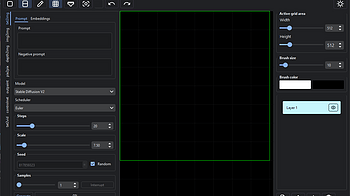
AI Art using Stable Diffusion on your own PC

If you want the dialogue marker to be animated for things like videos and GIFs, you can overlay this GIF over the marker on the exported dialogue box in your vi...

Enter - reroll current icon T - reroll shapes Shift+T - reset shapes O - open Options dialog S - open Colors dialog H - change the shading mode R - reroll color...
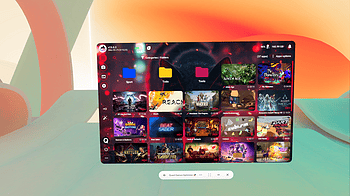
Please be sure you are running the latest version of the QuestGamesOptimizer WARNING & DISCLAIMER PREREQUISITES If the ADB icon is red, this means you did a wro...
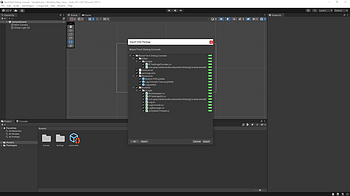
The BlazerTech Debug Console was created with the goal of ease of use, once the package has been imported only minimal setup is required to be operational. ---S...
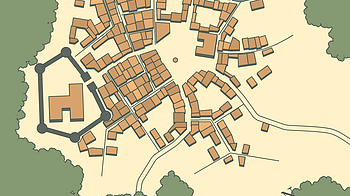
Keyboard shortcuts: Enter - generate a new city Tab / G - toggle G enerate window T - toggle T own window S - toggle S tyle window O - open the O utline tab of...

We're excited to share a practice game to help you learn how to build your games. Build your first game in less than 4 hours with Cocos Creator! The tutorial al...
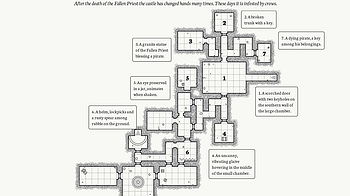
Enter - new dungeon Tab - open Tags dialog S - open Style dialog Shift+Space - reroll notes Space - rearrange notes N - toggle n otes mode L - toggle l egend R...