
Your Shopify customers must explicitly opt in to receive promotional content via channels like email or SMS. Opt-in is collected at checkout when a customer chooses whether to receive marketing. By default, the checkout checkbox covers email only. To collect SMS consent as well, you’ll need to adjust the checkout label and update your store’s privacy policy.
Update your Shopify checkout marketing consent label
In Shopify, open Settings, then click Checkout.
Scroll or search to Marketing consent.

Under SMS marketing, toggle on the Display a checkbox for customers to sign up for email or SMS marketingClick

Save.
Once you’ve toggled this on, customers will see the option to opt into marketing emails during checkout, and the compliant consent messaging will automatically be added.

Enable customers to leave their phone number
Go to Settings → Checkout and set “Shipping address phone number” to Optional.

Scroll to Checkout language and click Manage checkout language.

Search for “Phone label.”
Update both “Phone label” and “Optional phone label” with:
Mobile phone number for news and exclusive offersSave your changes.
Update your privacy policy
In Shopify, go to Settings → Privacy policy.

And add language covering SMS marketing consent. For example:
SMS marketing: By subscribing to SMS marketing you agree to receive recurring automated marketing text messages at the phone number provided. Consent is not a condition of purchase. Text STOP to unsubscribe or HELP for help. Message and data rates may apply. View terms of use and privacy policy.
If you don’t have a privacy policy yet, you can click Create from template.
Click Save.
View SMS-subscribed contacts in Hive
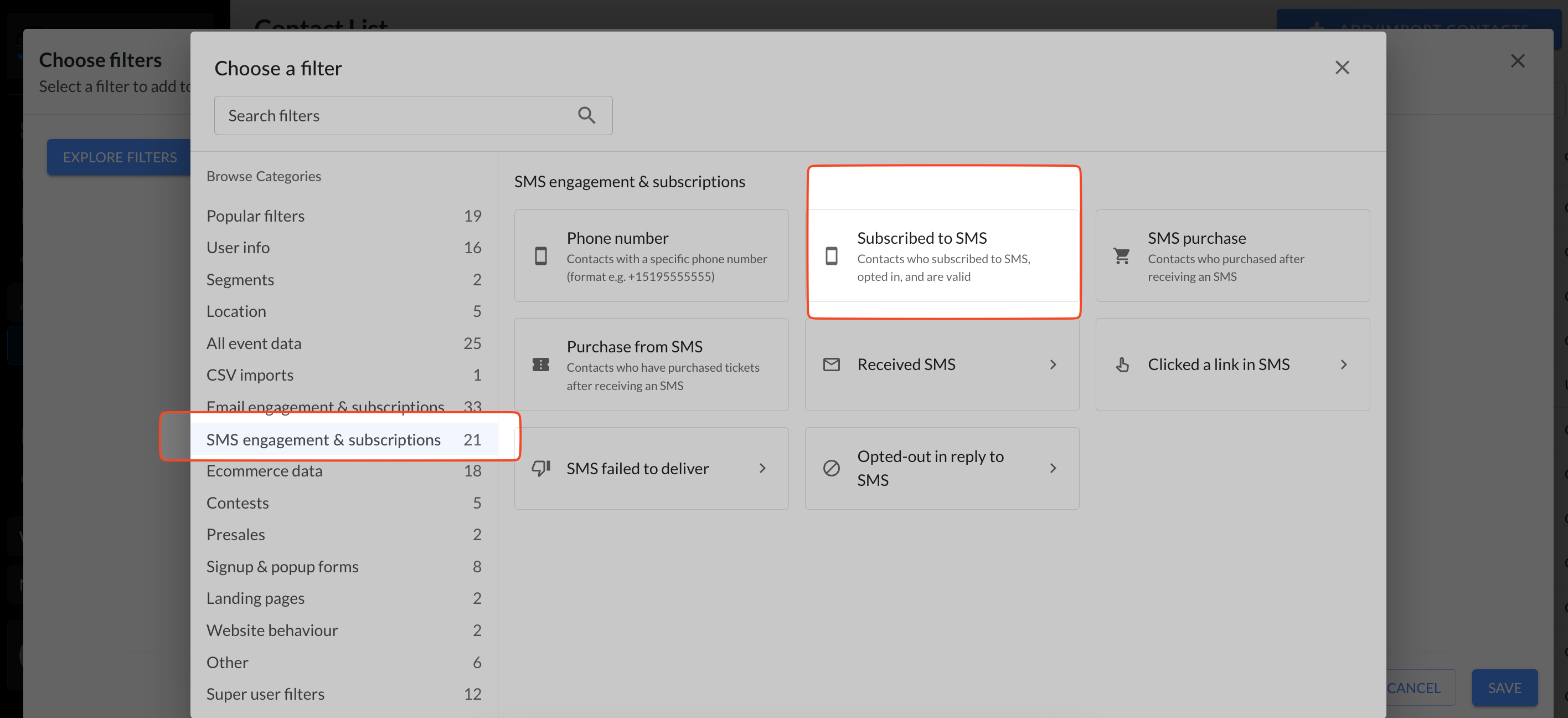
In Hive, open your contact list and click View all filters → SMS engagement & subscriptions → Subscribed to SMS to see customers who opted in.
For more on getting started with SMS in Hive, see this article.