You can think of the Reliable Web Application (RWA) pattern as a pattern of patterns. Each pattern provides prescriptive guidance on how to build a specific aspect of a reliable web application. The patterns are derived from both the Azure Well-Architected Framework and the 12-factor app methodology.
In this blog, we’ll demo both the Retry and the Circuit Breaker patterns. The retry pattern involves making repeated attempts to execute a task until successful, while the circuit-breaker pattern prevents a system from executing a task that’s likely to fail, to avoid further system degradation.
To run the simple demo, you’ll need:
- Java Development Kit (JDK) 17: Essential for developing Java applications. Make sure to install JDK 17 as specified in your
pom.xmlfile. Download JDK 17 - Apache Maven: A build automation tool used primarily for Java projects. It helps manage project dependencies and streamline the build process. Download Maven
- Visual Studio Code: A lightweight but powerful source code editor that runs on your desktop. It’s available for Windows, macOS, and Linux. Download Visual Studio Code
- Java Extension Pack for Visual Studio Code: This extension pack includes essential Java tools such as Maven support and Java 17 compatibility. Download Java Extension Pack
Clone the sample repo
git clone https://github.com/Azure/reliable-web-app-pattern-java.gitNavigate to the project directory:
cd reliable-web-app-pattern-java/workshop/Part0-Basic-App/src
Install dependencies:
mvn clean install
Start the application using Maven:
mvn spring-boot:run
You can then access the API at http://localhost:8080/product/1.
Example API Call
To retrieve a product by its ID, you can use the following curl command:
curl http://localhost:8080/product/1Running the Tests
To run the automated tests for this system, use the following command:
mvn test
These tests verify the functionality of all components, ensuring that the application behaves as expected.
Failure Mode
One of the most essential principles of the Reliable Web App pattern is the Retry Pattern. It helps your application deal with situations where a service might be temporarily down, a ‘transient fault’. The Retry pattern resends failed requests to the service until it’s working again.
But the Retry Pattern alone is not enough. Sometimes, a service might be unavailable for a long time, or it might even be gone forever. It would be useless to keep trying to call such a service. That’s why we need the Circuit Breaker Pattern.
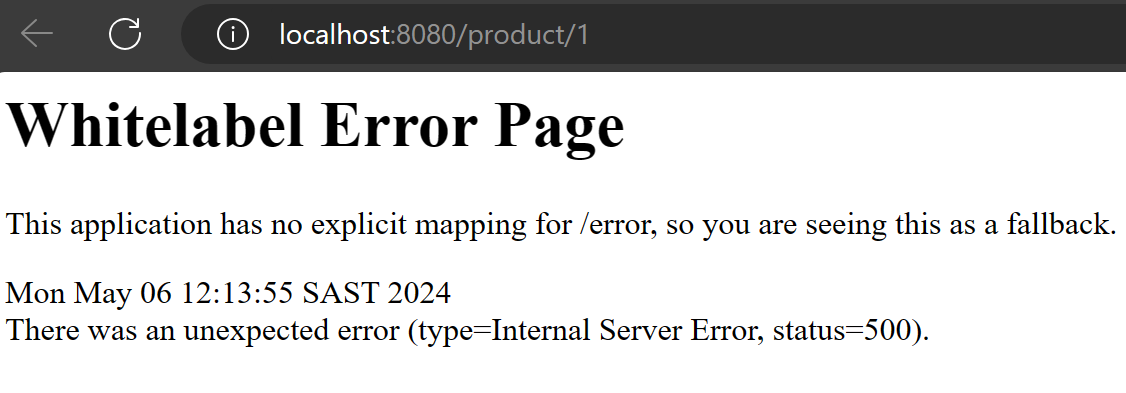
The application includes a feature to simulate failures, useful for testing its resilience capabilities such as the circuit breaker and retry mechanisms. This simulation can be controlled directly from a web browser, making it easy to demonstrate or test the effects of these patterns.
Enabling Failures
To simulate failures in the system, which will trigger the circuit breaker or retry logic, you can activate failure mode using the following URL:
http://localhost:8080/configure/failure?fail=true
You can then trigger the failure at http://localhost:8080/product/1.