
Text-to-win contests make participation as simple as sending a text. Fans text a keyword (like WINVIP) to your number, and Hive takes care of the rest.
Why text-to-win works
Quick entry—no apps, forms, or Wi-Fi required
Every entry helps grow your SMS list
SMS follow-ups drive significantly higher conversions and clicks compared to email
How to set up a text-to-win contest
Set up your contest as you normally would. For step-by-step help, check out this help article.
If it’s text-to-win only, you don’t need to add any extra entry steps.
Once saved, click the share button next to the contest and select the SMS entry automation option. This will generate a keyword automation specifically for that contest.
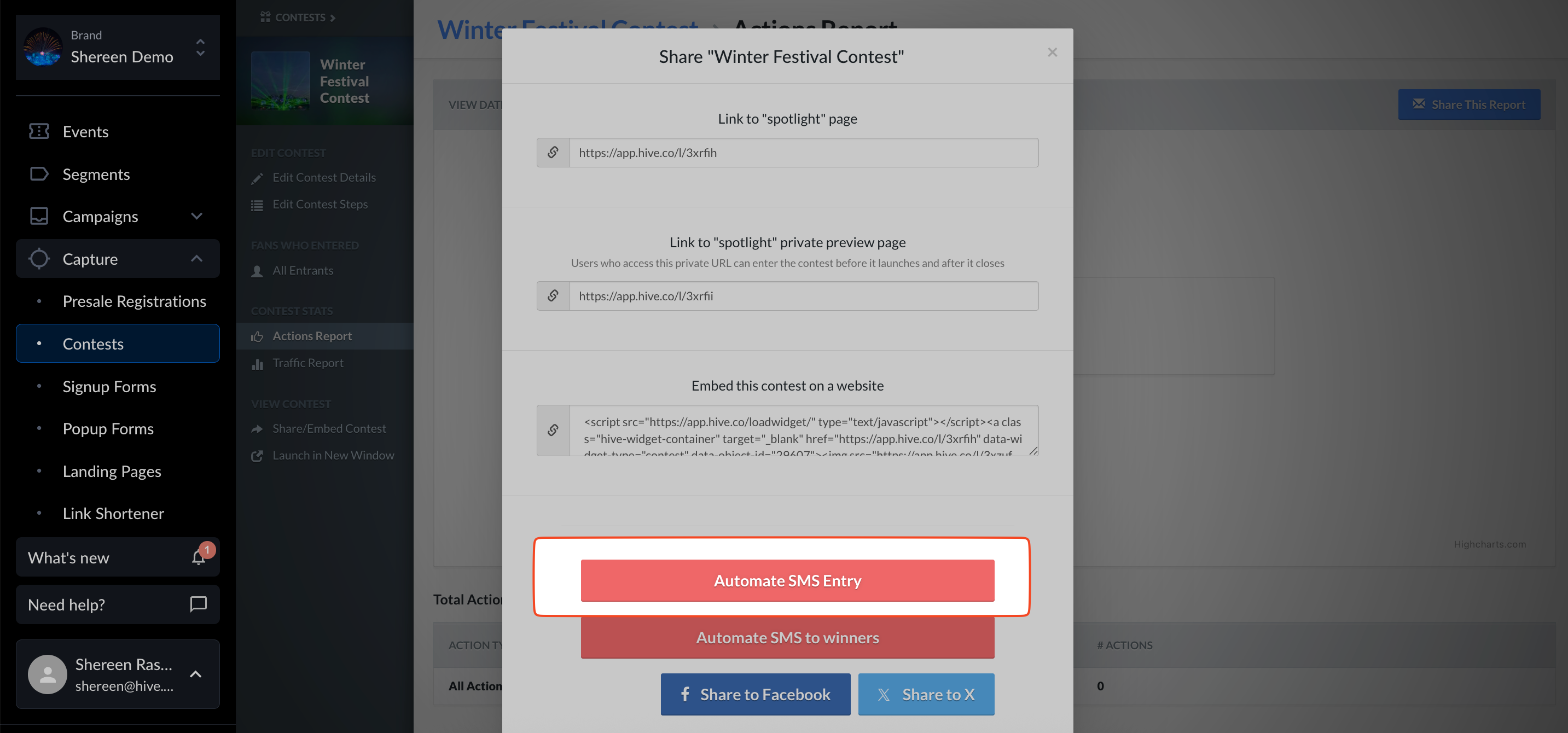
Set your entry keyword in the Contest Share Modal.
Example: “Text WINVIP to 555-1234 to enter!”
Customize the confirmation message.
Example: “Thanks for entering! Winners will be texted after the show.”
Save your automation and return to the main automation page. From your main automations page, you can access two sharing options: a URL you can use in emails or online promotions, and a QR code you can print and display onsite at venues.

Make the most of your contest by promoting it everywhere—venue screens, posters with QR codes, artist shout-outs, social media, and more.