
When contact data is synced from an integration, imported manually, or captured through a Hive tool, a contact profile is created. As data flows into your account, Hive enhances your CRM automatically:
Flags invalid or outdated emails to help you avoid bounces
Merges duplicate contacts into a single profile (email address is the source of truth)
Enriches profiles with publicly available data like name, gender, location, and age for better segmentation
Once synced, you can view any contact profile by going to Contacts > Contact list in the left sidebar and selecting a contact’s name.
How to locate a contact
Go to the Contact list. All contacts in your account are visible by default.
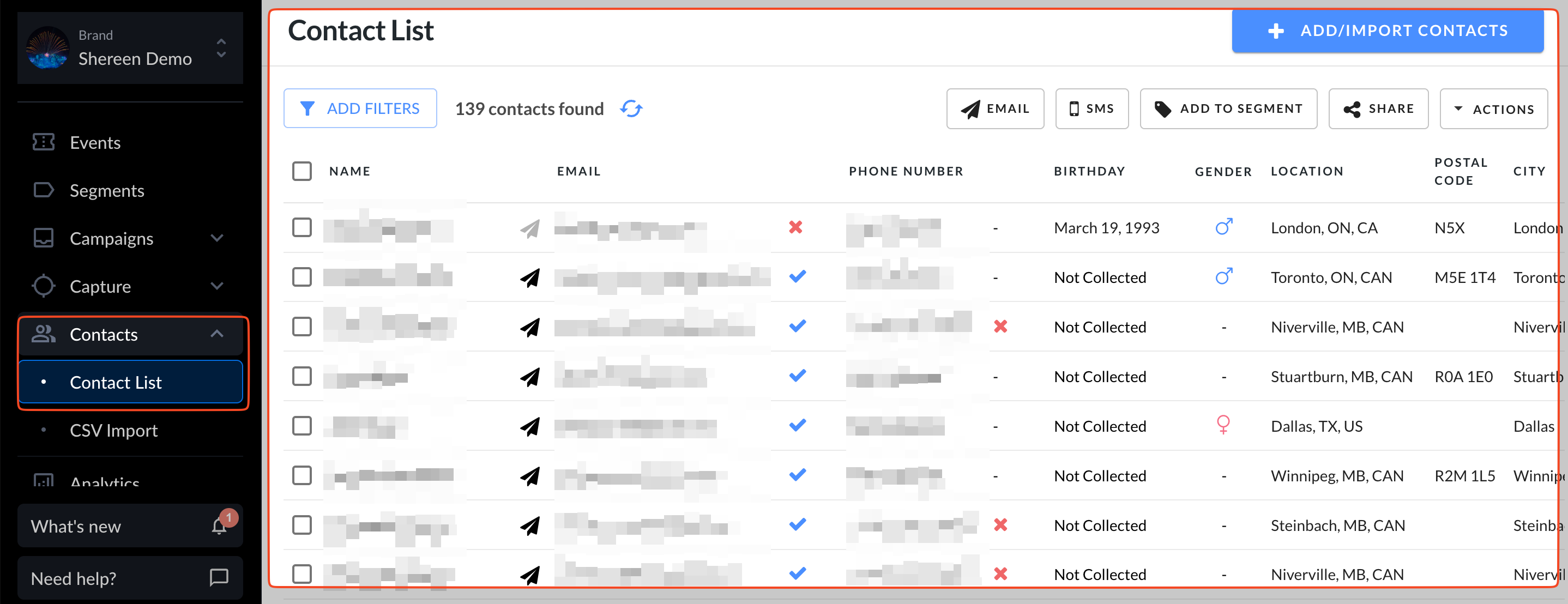
Click Add filters in the upper-left corner to refine your list.

Filter by details like name, email address, or phone number to quickly find the contact you need.

For more guidance, see our article on using filters in Hive.
Contact profile details
Click a contact’s name to open their profile in a new tab. Each profile includes:
1 | Name | Name of the contact |
2 | Email and phone number | A green checkmark indicates they’ve opted in for marketing via that method |
3 | Actions | Use the dropdown to resubscribe or delete the contact |
4 | Location | Location provided by contact or collected via their IP address |
5 | Notes | Notes a Hive user can leave on a contact's profile |
6 | Demographic info | Birthday and gender |
7 | Email engagement | Summarized stats and engagement level |
8 | Purchase history | Purchase history synced from integrations or manual imports |
9 | Custom user properties | Custom data added via manual imports |
10 | Segments | Segments the contact belongs to. And you can remove a contact from a segment |
11 | Engagement details | Sent campaigns, opens, clicks, purchases, and signups
Pro tip: Hover over any timestamp to see the exact time an activity occurred. |
Note: Most contact fields (like name, email, phone number, location) can’t be edited manually. If these details need to be updated, delete the contact from their profile and re-import them with the correct information.
From a contact’s profile, the fields you can edit are their email subscription preference and the segments they belong to.
Why contact profiles matter
Having rich, detailed data on each contact helps you use Hive’s segmentation tools to target campaigns with greater precision and effectiveness.
Note: The information in each profile reflects the data synced or uploaded into your Hive brand. Profile data may vary depending on the source.